Quickly and easily adding accounts to an antidetect browser is a basic need for any media buyer. There is no point in wasting extra time on manual work when the service offers all the available tools for comfortable work. Let’s look at the options for adding Facebook accounts to Linken Sphere.
Linken Sphere is an antidetect browser that has been providing high-quality digital fingerprint substitution since 2017 for solving any tasks related to multi-accounting. You can get acquainted with the browser for free on the Trial plan for 5 profiles.
What ways are there to add accounts to Linken Sphere?
You can add accounts to Linken Sphere by transferring browser sessions between licenses, mass importing order data with a file or table, manually importing account cookies into a browser session, or logging in with a username and password in a created browser profile.
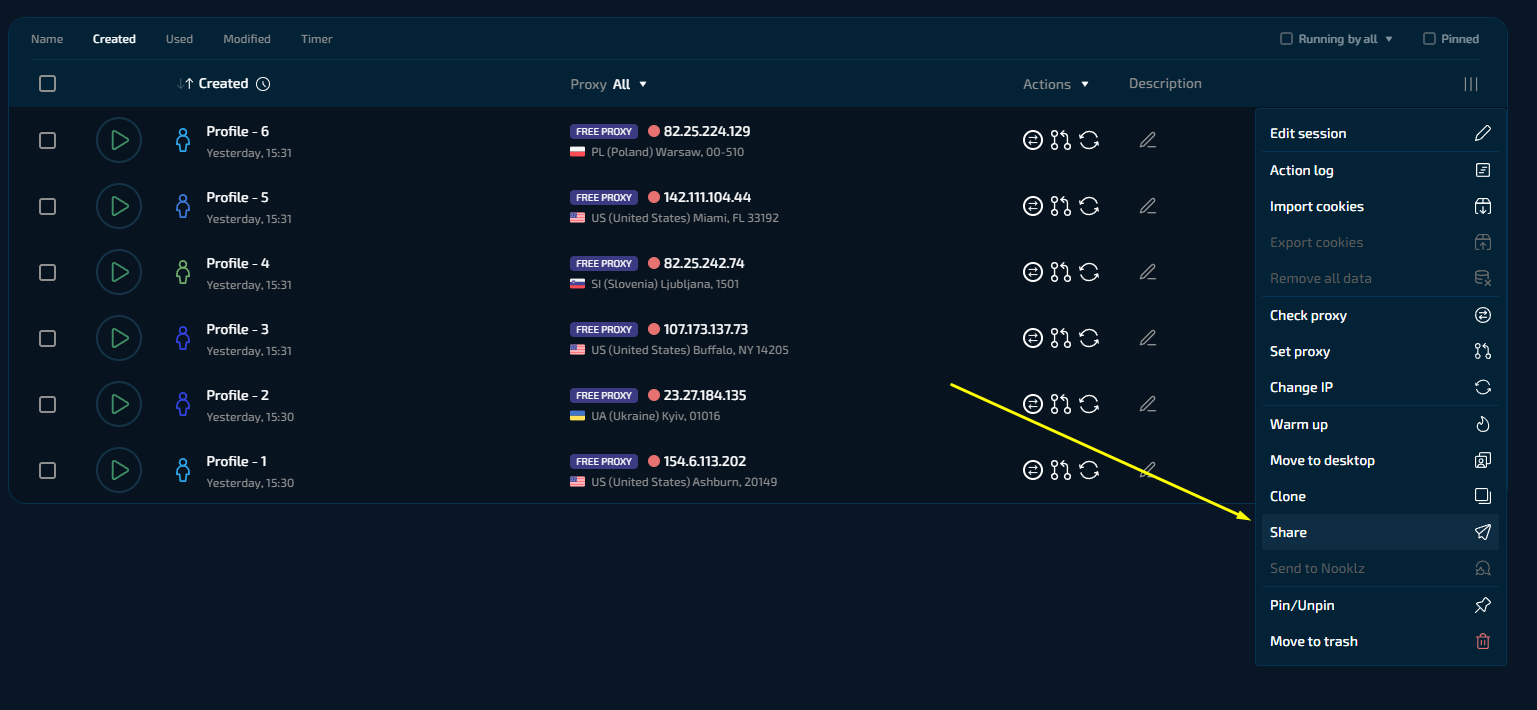
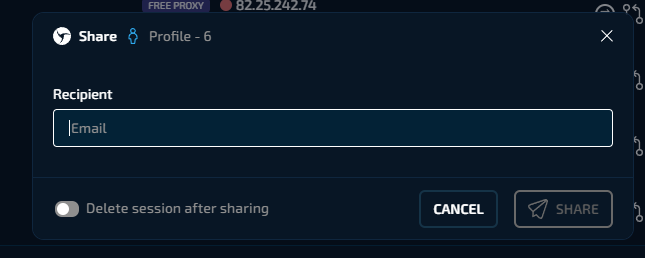
The optimal method is sending profiles from the order directly to the browser by email. You receive a ready browser session on your browser desktop, ready to work with the same settings and data inside as it originally had. For this, both users, the store and the buyer, must use the Light plan or higher.
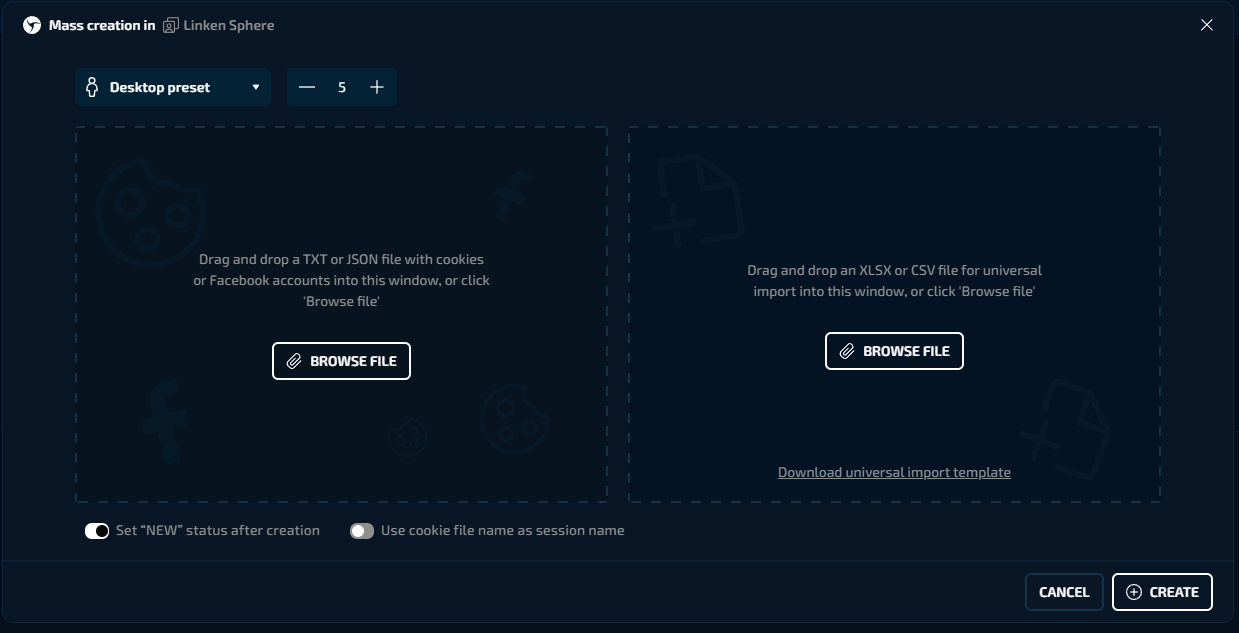
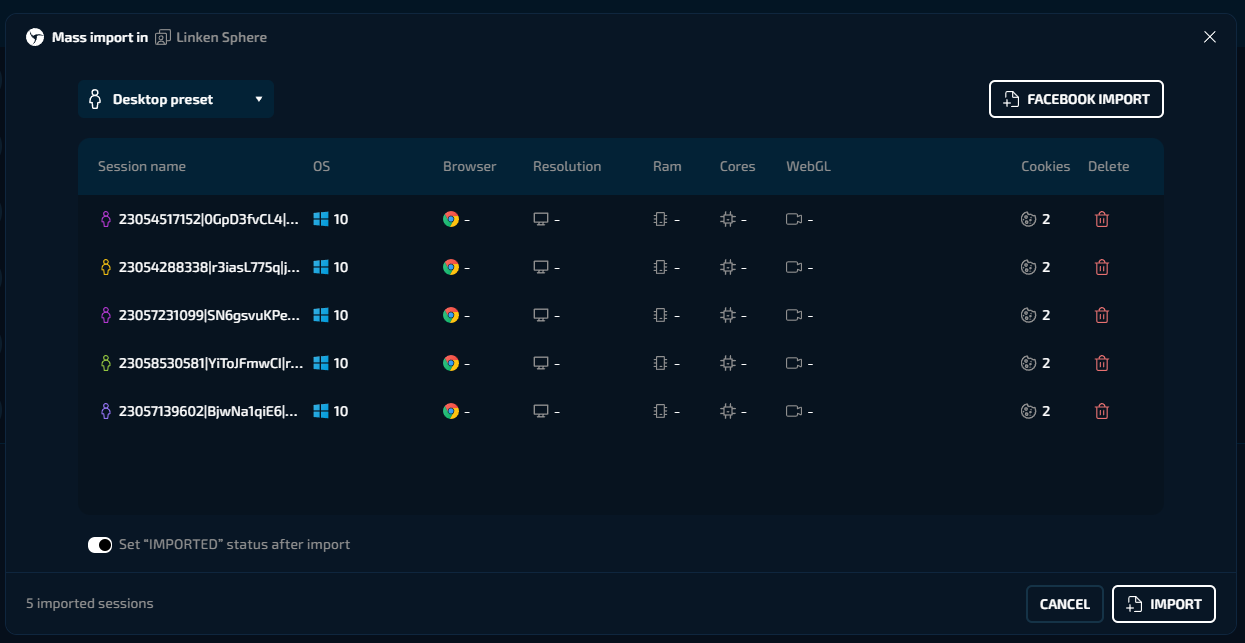
Mass import of data with a text document or in table format. Depending on the order delivery format, the import option may also differ. Both options work according to the same logic: they identify the data in the file and create the required number of profiles with the data imported from the file. In a few clicks, the browser creates a profile for each account, imports cookies, user agent, and other data into it. All that remains is to add proxies to each profile, and the accounts are ready to work.
Manual profile data addition when creating a session in the browser. When creating a browser session, at the “Data” settings stage, you add account Cookies by pasting them or by importing a file.
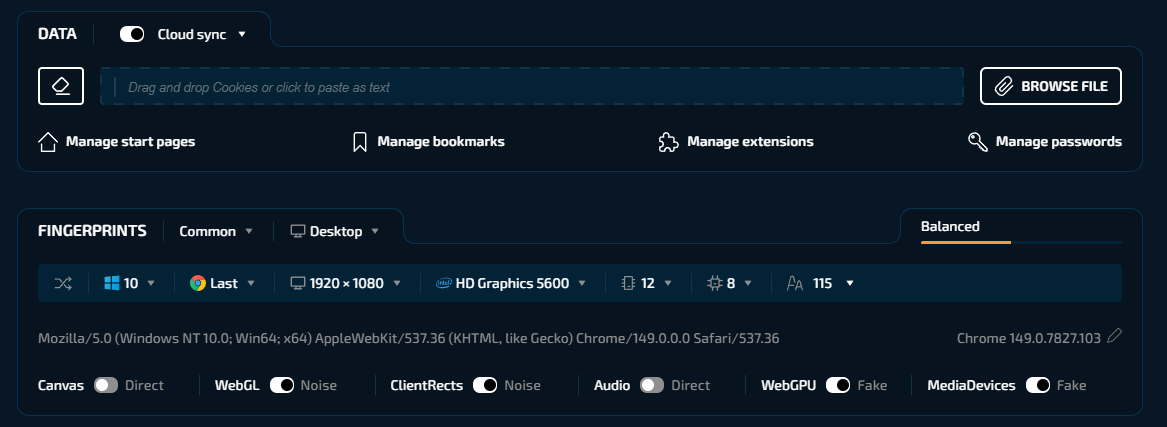
The simplest solution if you work with accounts one by one, without a large volume. It is advisable to save the user agent and browser settings parameters that came with the account.
All the listed methods ensure problem-free work with accounts.
Creating a browser session and importing an account manually
- Click “New session” and enter the name of your profile. If necessary, add a description, for example, account data so that it is at hand. You can also add the necessary tags, for example, account type, seller, limits, or something else.
- Next, choose our connection type. If you use proxies, select the required connection protocol and enter the data of our IP. The browser will automatically check the availability of the connection.
- Import the browser profile data: Cookies that come with the account, and if necessary, set the start page, bookmarks, and extensions.
- Set the browser fingerprint configuration.
You can use the fingerprints offered by the browser by default, or you can manually change the parameters. You need to understand that changing parameters without understanding what you are doing can create an unrealistic configuration and raise suspicion from anti-bot systems.
It is better to use browser fingerprint generation or the Hybrid 2.0 mode, so you will get optimal fingerprints for the profile. Or you can choose settings from a pool of real device configurations.
- Save our session and launch it. You can additionally check the anonymity of your browser session in the corresponding services.
Linken Sphere has a quick session creation mode, as well as settings templates that you can set yourself in order to create sessions with the required settings in one click. All that remains for you in this case is to import the data and select a proxy before launch.
Is it necessary to import Cookies?
It is always better to import Cookies data. Cookies are essentially the history of your browser profile. With their import, if the profile is configured correctly, the site will treat your activity in the account as a continuation of activity from the previous device, rather than as data transfer to a new browser. This reduces the likelihood of suspicious activity detection and blocks.
Is it better to log in through Cookies import or without import using a username and password?
Logging in with a username and password without the corresponding browser history can cause distrust from anti-bot systems. This can become a signal for verification: sending a code to the phone or identity verification, especially when the user’s IP address region and device change.
We recommend using login by username and password without importing profile data only in cases where you have no other choice.
The more natural your browser profile is, the higher the platform’s trust.
Can account data be imported incorrectly into the browser?
Data import in Linken Sphere recognizes all popular account data formats that stores generate in orders. If you encounter an error when importing data, contact the browser support team, and support will help resolve the issue.
What proxies are best to use for accounts in Linken Sphere?
Linken Sphere supports all modern connection protocols and works with any type of proxy. It is worth noting that the browser implements proxy work with UDP protocol support.
Recommendations for choosing proxies are best clarified with the account seller, or you can independently test options with the best price-to-quality ratio. Most often, mobile or residential proxies are used for working with Facebook.